iPhone · iPad · Mac · Android app

Golgoru

Your assets stay on your device.

See accounts scattered across brokers in one place, and how far they sit from the mix you set. No sign-in, and no asset data leaving for a server. Start with the sample, type your own in, or paste a screenshot from your brokerage app.

🔒 No sign-in 📊 What you own 🩺 Portfolio health score ⚖️ Gap to your targets 📰 News · Build

iPhone · iPad · Mac · Android · free

Golgoru home — total assets, what to do now, markets
About

Golgoru app icon What is Golgoru?

Golgoru is a personal asset tracker for iPhone, iPad, Mac and Android. It gathers what you hold across separate accounts into one screen, and works out the gap between the weights you set and what you actually hold — so you can see what to move first.

You type your accounts and holdings in. Paste a screenshot from your brokerage app and it reads the names, quantities and average costs for you to check and save. What you entered is shared across the iPhone, iPad and Mac on your Apple account. There is no account to create and nothing to sign in to.

From 2.0 you can also build a mix you have not bought yet and try it out, and use the community to see what other people put together or share your own. Only the holdings and weights go up — never the amounts or the accounts.

Golgoru is made by indus96, an independent developer. Questions: [email protected]

How does it use my Google account?

It does not. The public app has no sign-in and every feature works without an account. The Google Sheets read-only link that version 1.0 had (a single spreadsheets.readonly permission, reading a sheet you pointed it at) was removed in 1.2.0.

What happens to your data is in the privacy policy; how to use it is in getting started.
Principles

Not just a viewer — something you can trust

We do not own your data, the numbers are worked out on your device, and sharing carries the shape only. Everything else sits on those three.

📒

The data is yours

The app does not own your data. It lives on your device and in your own iCloud sync — never on our servers.

🔒

Worked out on device

Amounts, currency conversion and weights are all calculated inside the app. Your asset data is not sent anywhere.

🤝

Share the shape only

Posting to the community carries the holdings and weights. Amounts and accounts stay behind, and you appear under a nickname.

Features

Every feature, on the real screen

These are the actual screens, with example numbers. Each section links to its page.

Home — total assets, today's change, what to do now

Home

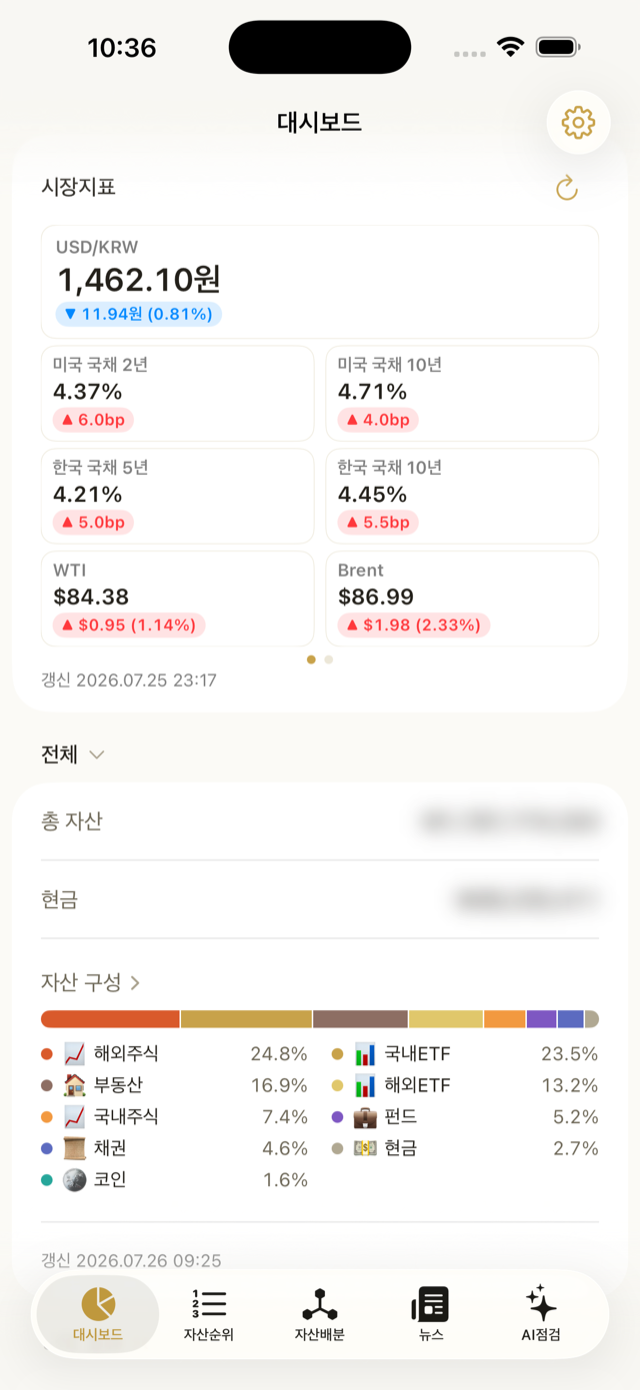
  • Total assets · today's change · gain and the class mix, on one card
  • What to do now — the single biggest drift. When there is nothing, the card goes away
  • Markets in three cells — two indexes from whichever market is open, plus the exchange rate
  • Two news lines — headline and source; tap to read
Home page →

Portfolio report

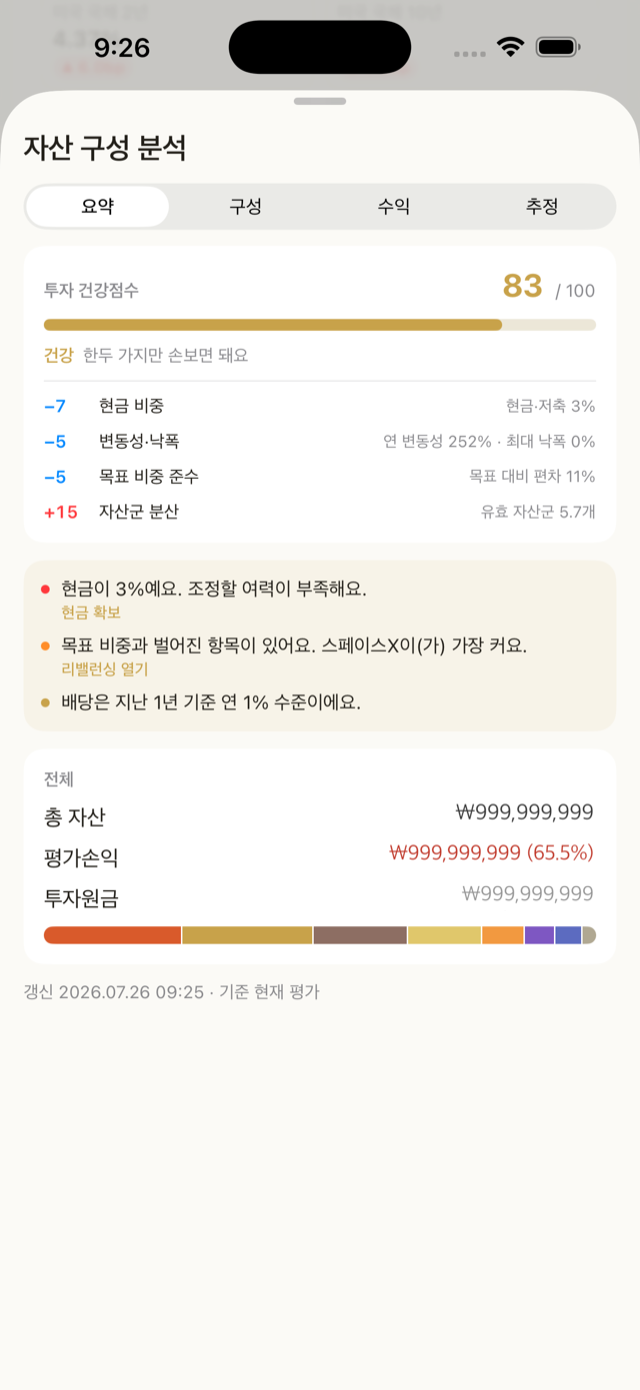
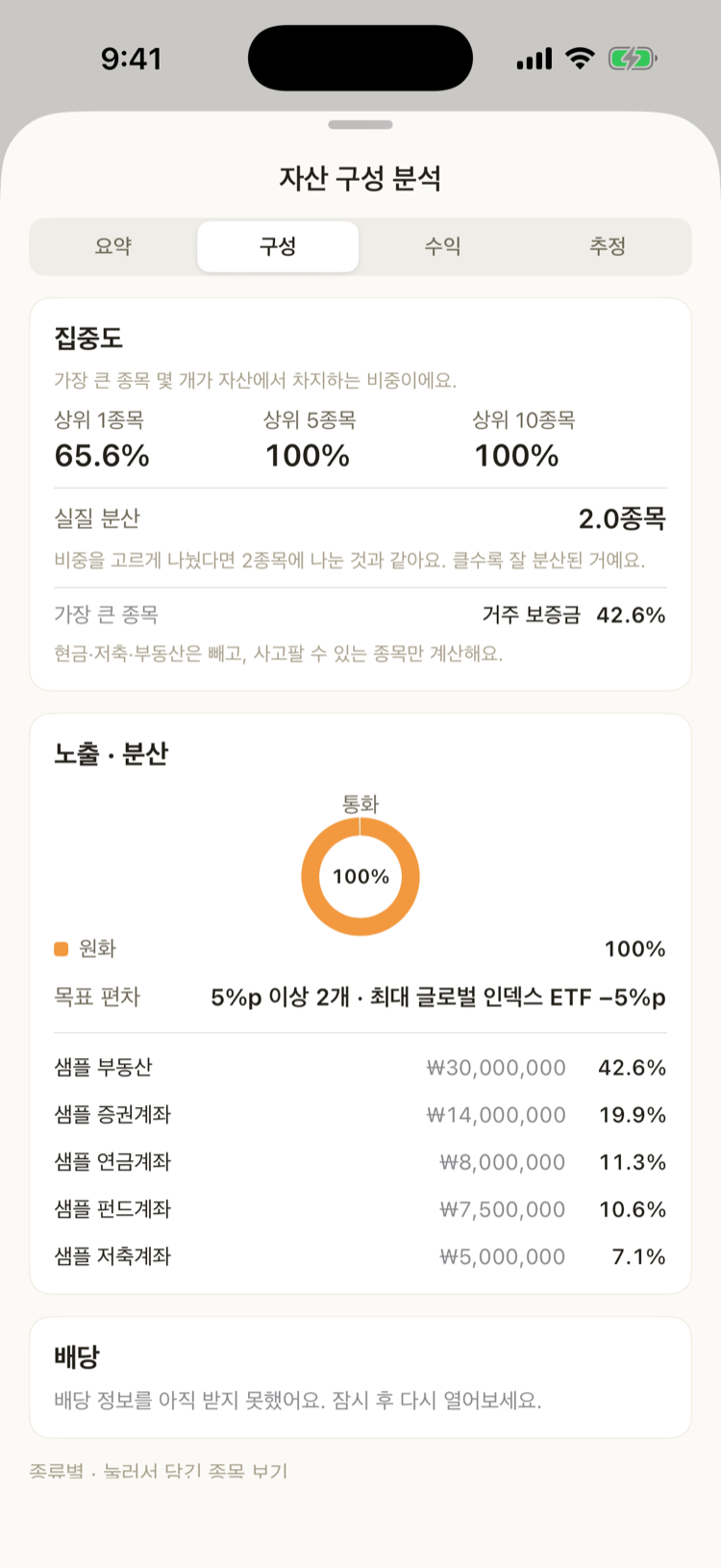
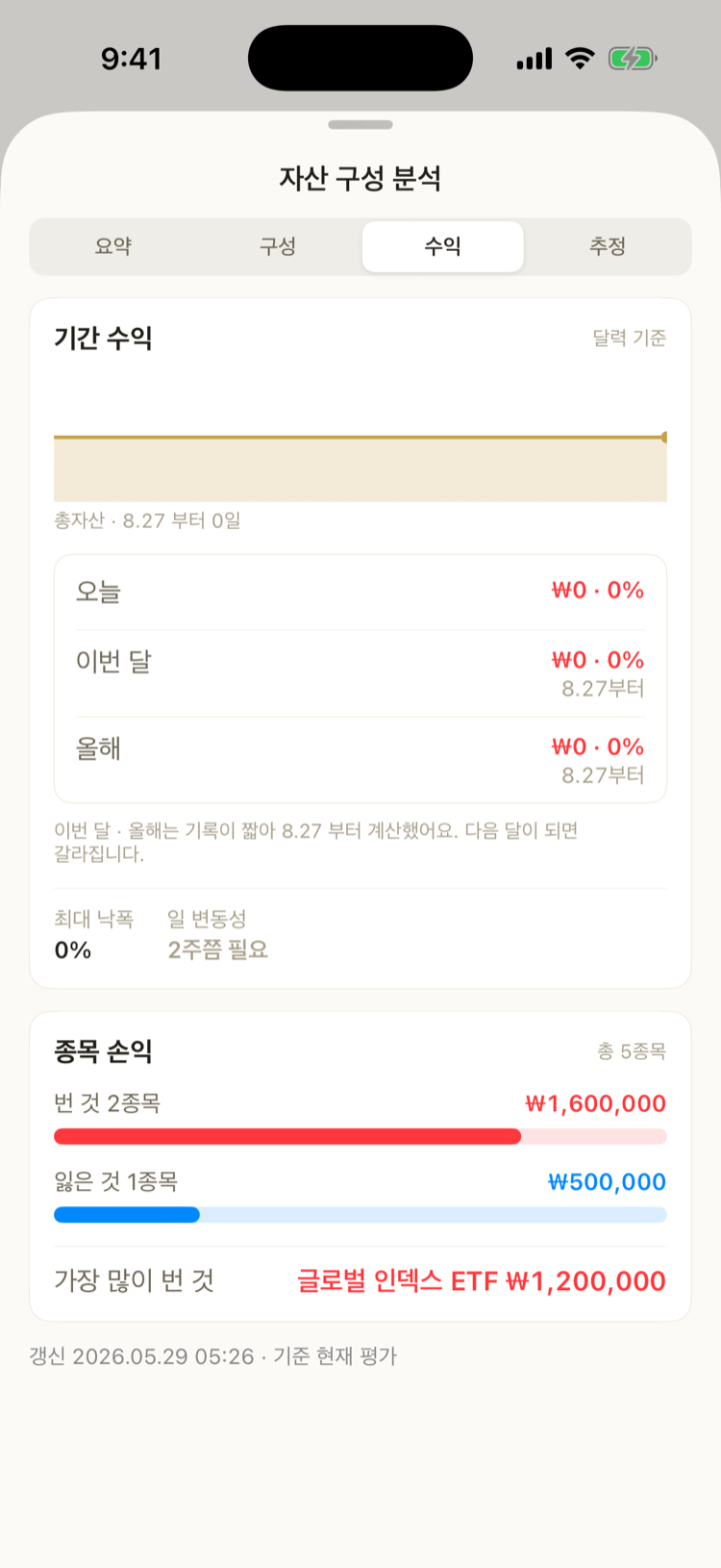
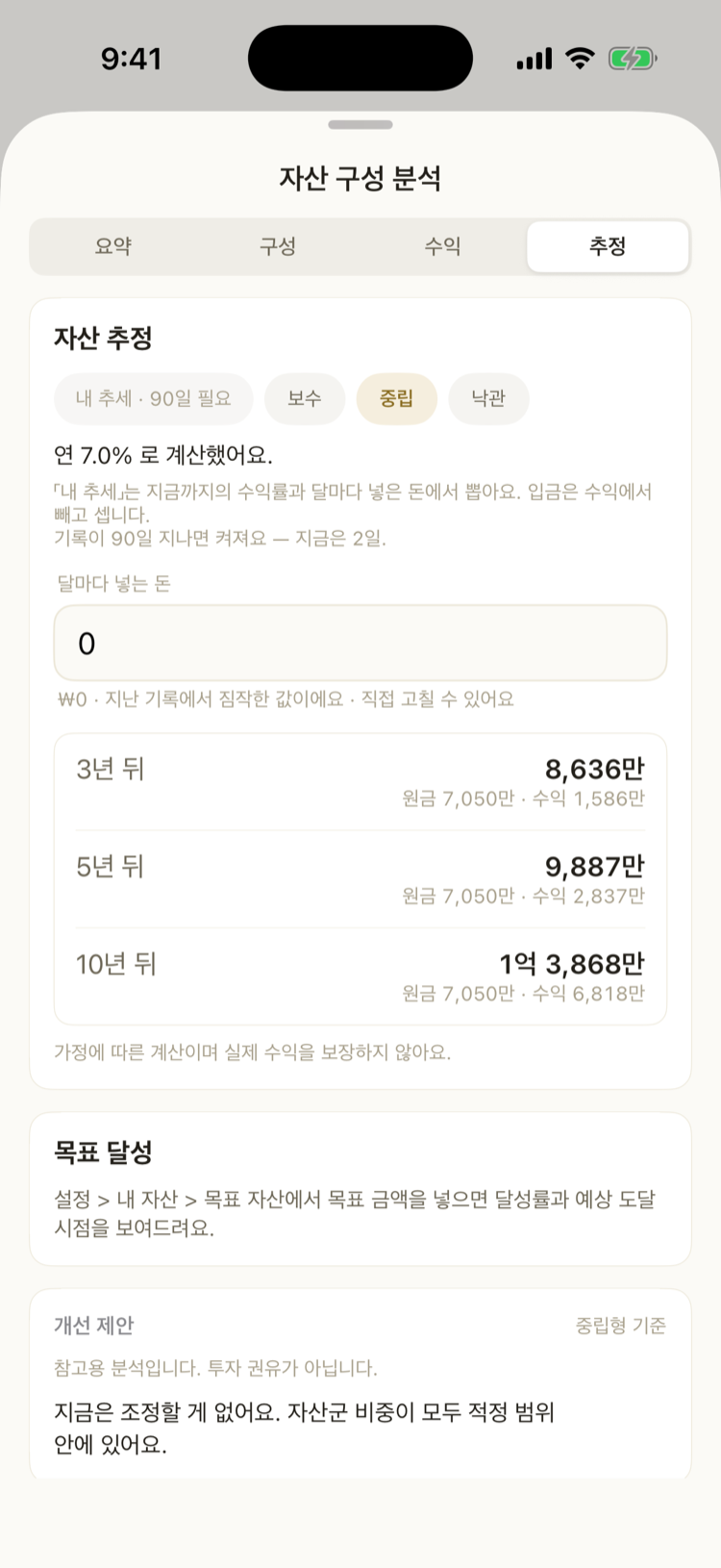
  • Four tabs — summary · composition · returns · projection
  • A health score out of 100, with what added and what took away
  • Exposure (currency · country · sector) · dividends (last 12 months paid) · by kind
  • Period returns and max drawdown · 1 · 3 · 5 · 10-year projections and goal progress
Portfolio report page →

Assets · holding detail

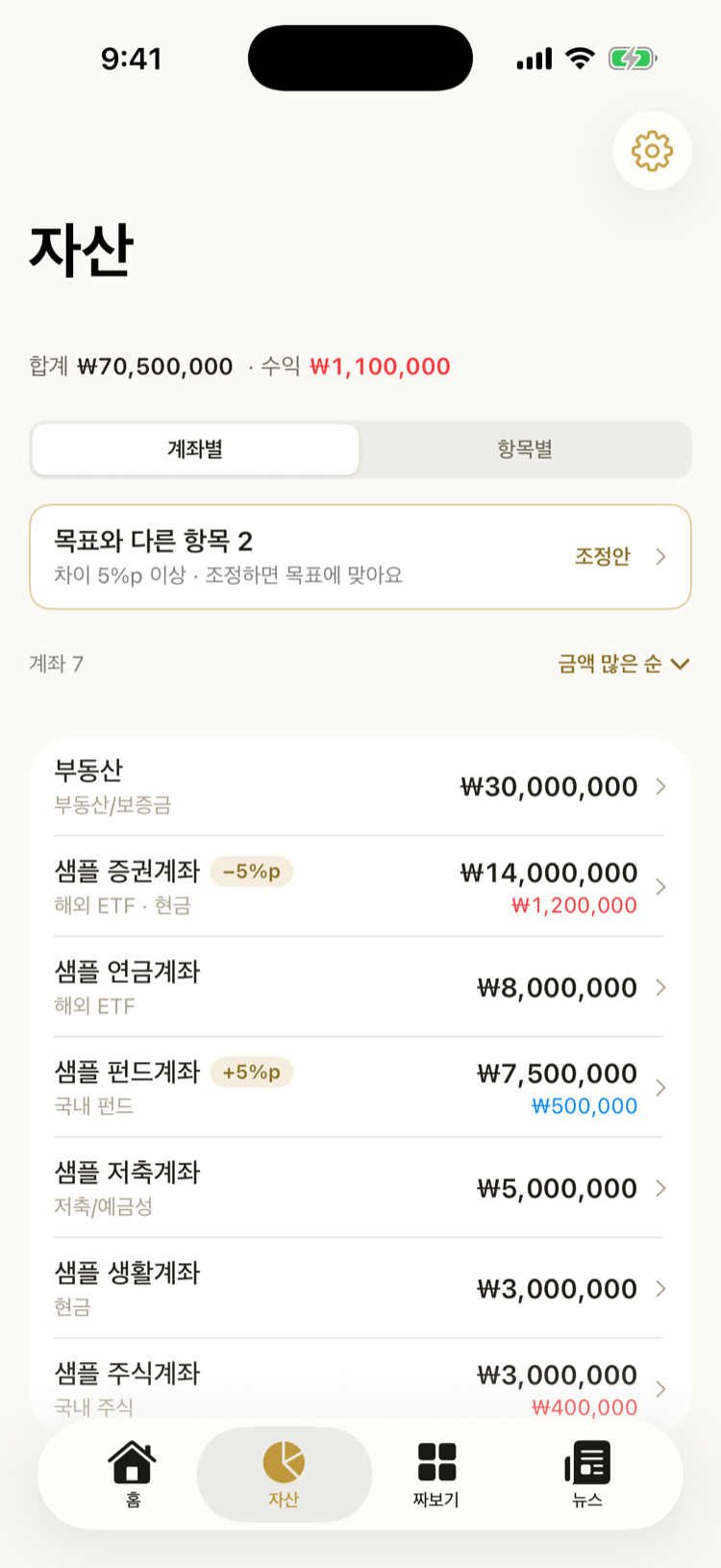
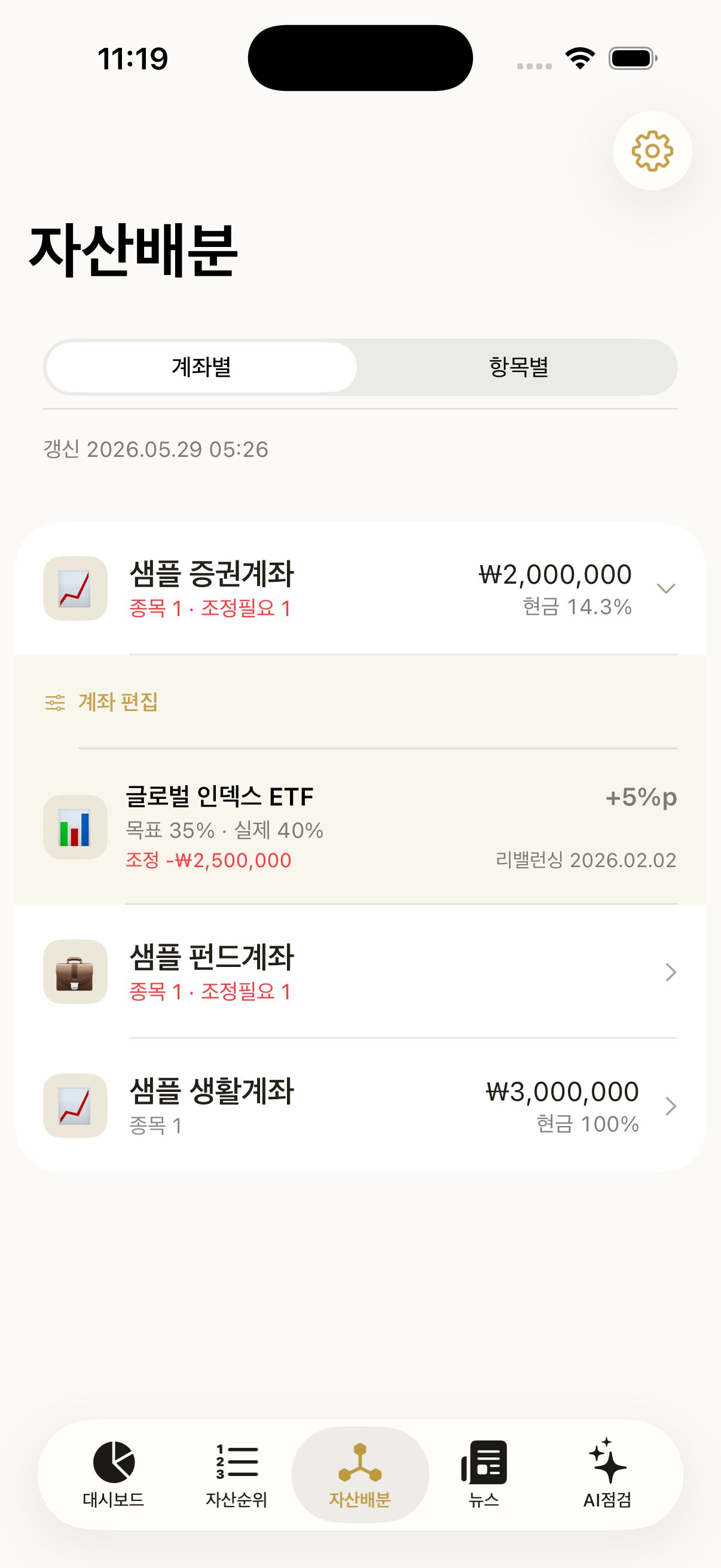
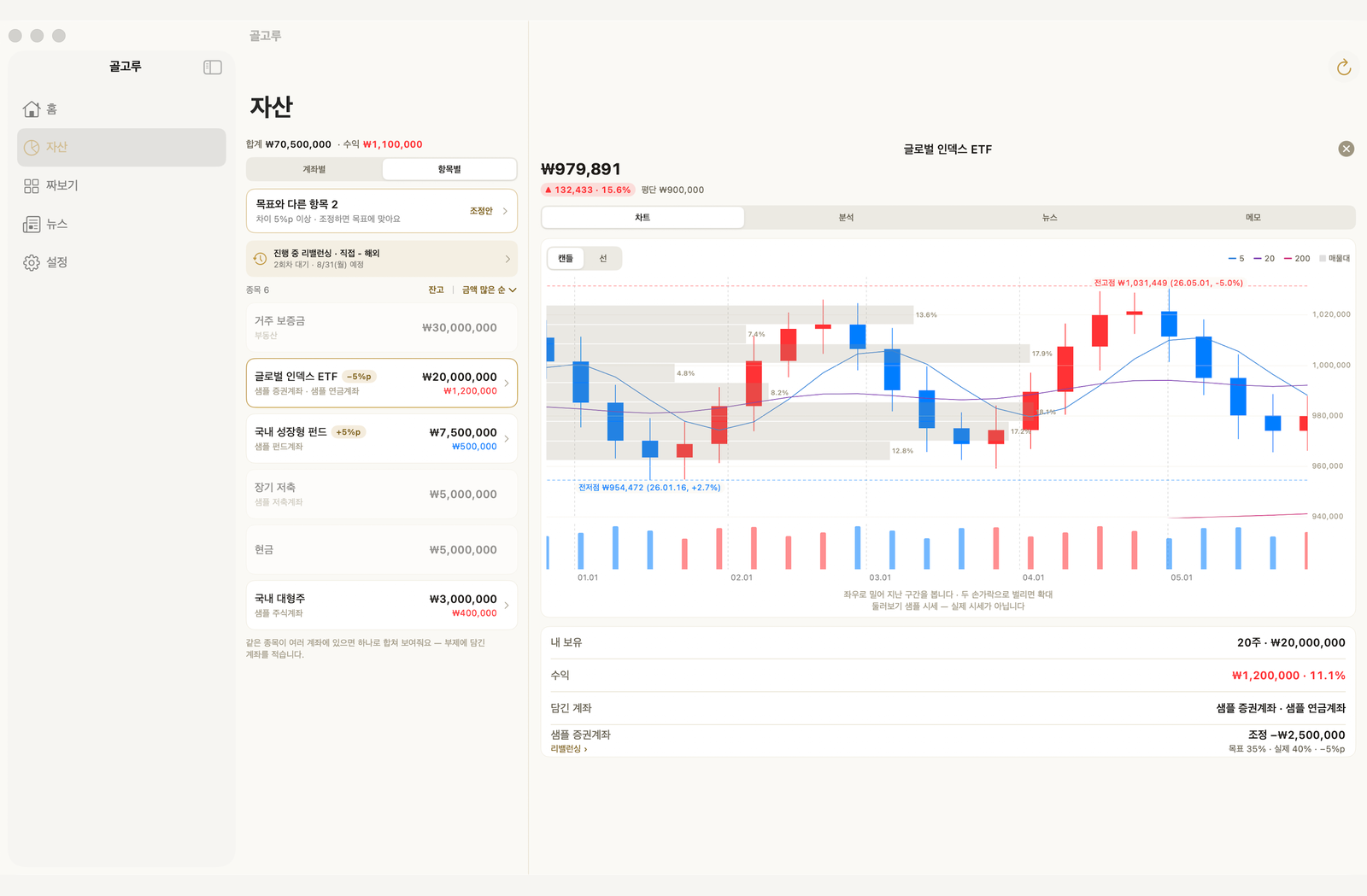
  • One list, by account or by holding — value, gain and the gap (pp) on the same row
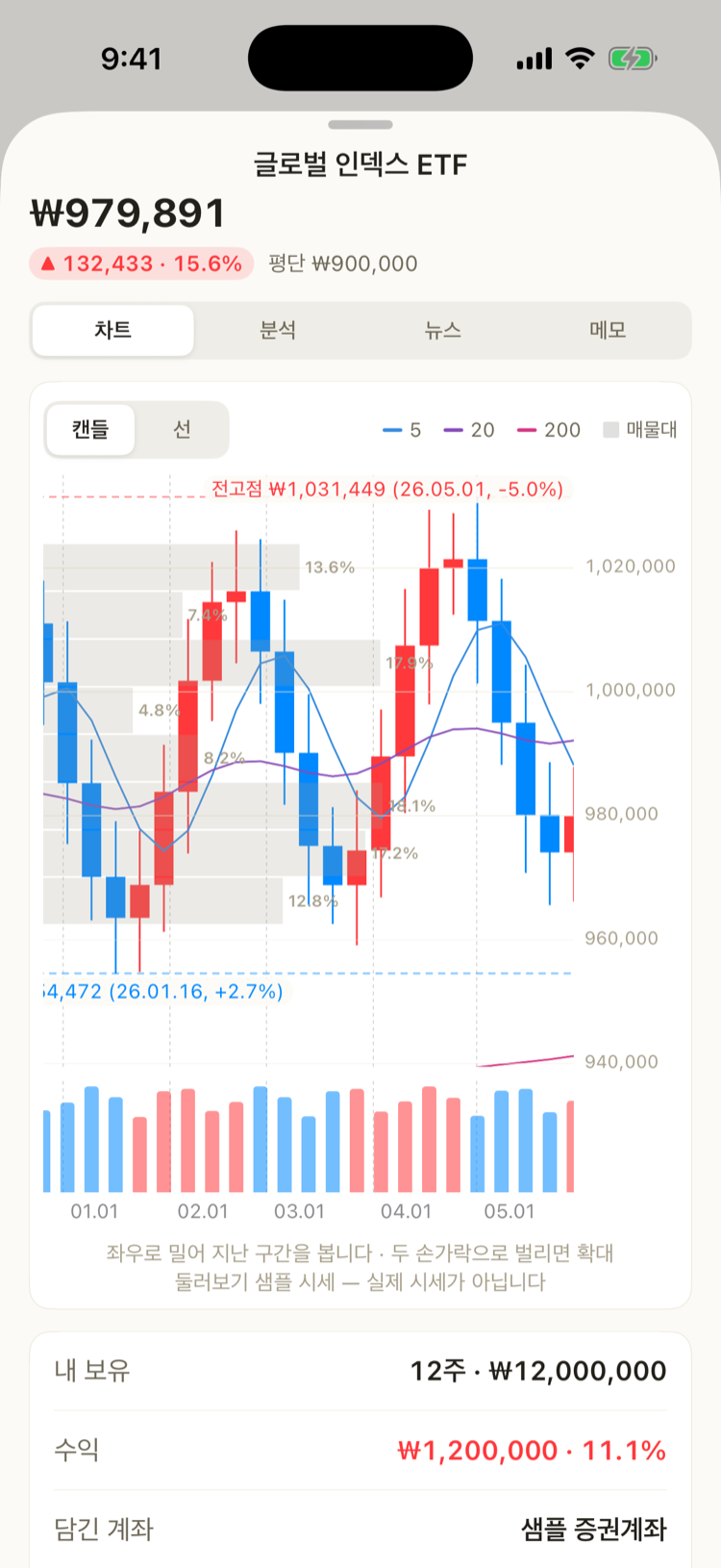
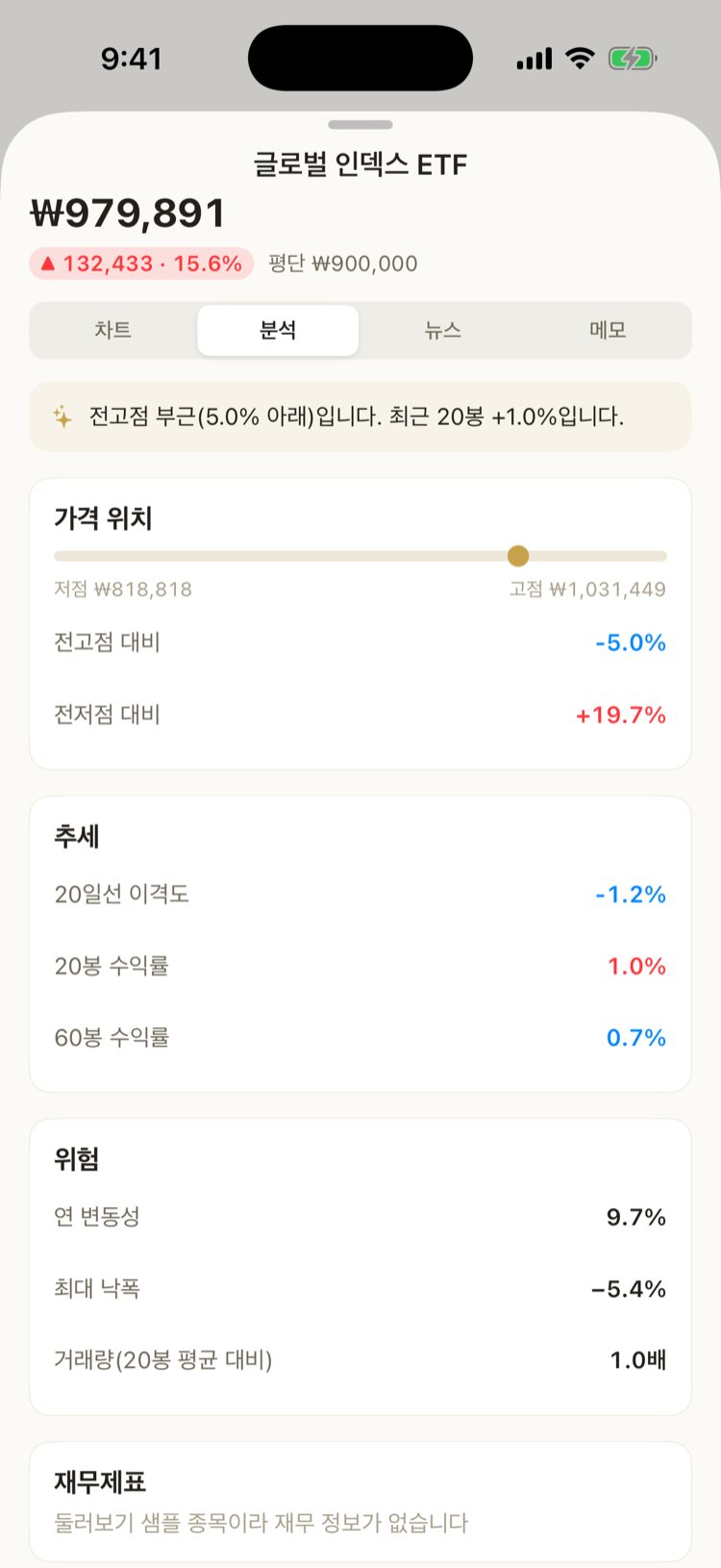
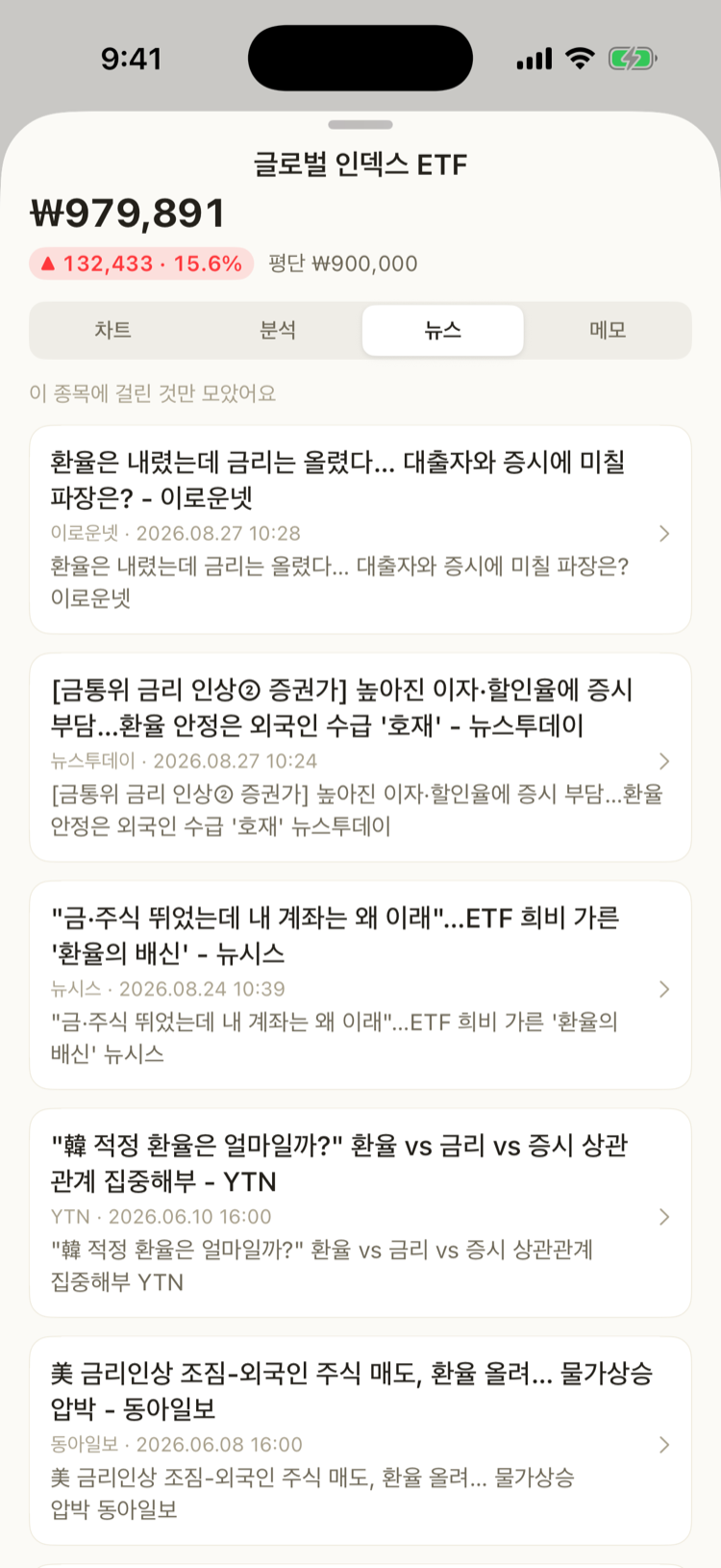
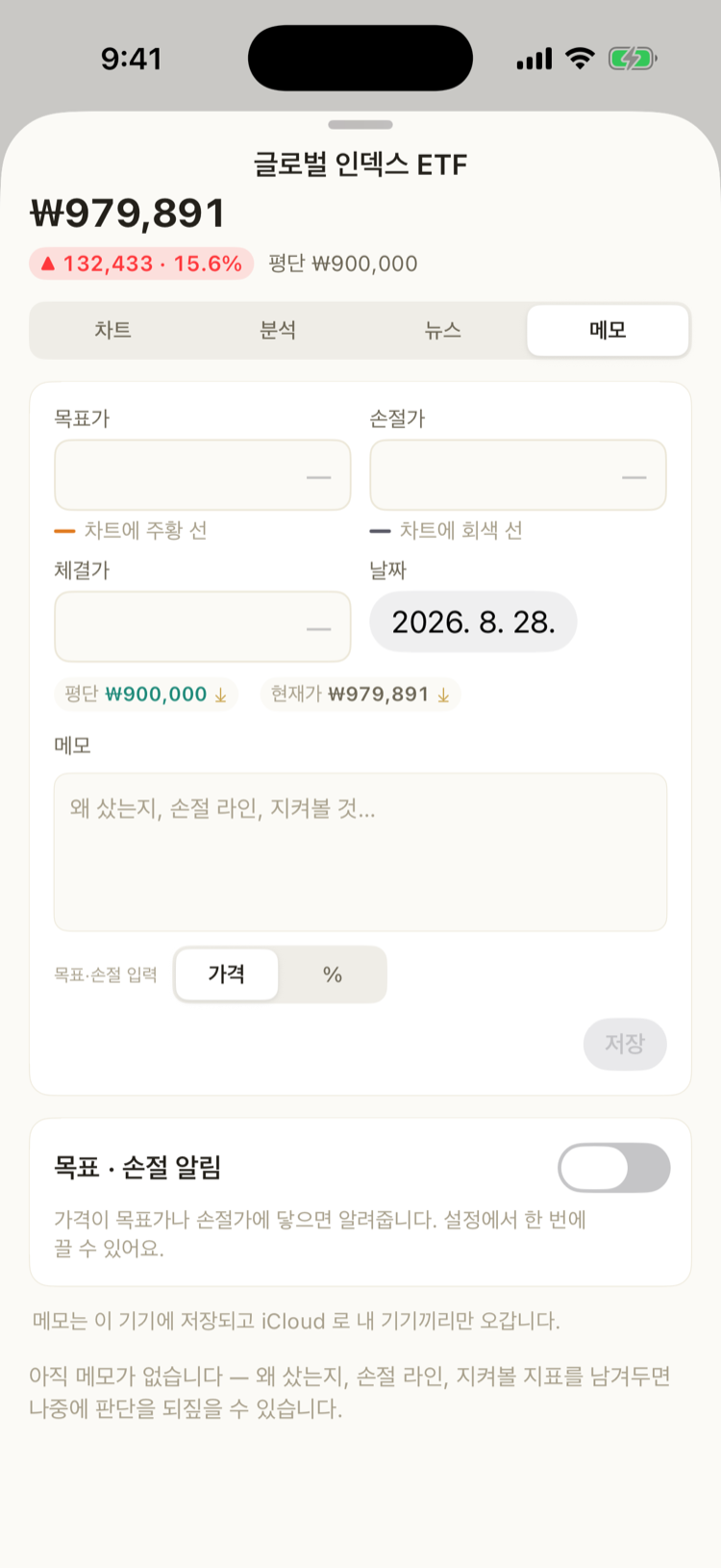
  • Tap an account for its detail, a holding for chart · analysis · news · notes
  • Technical indicators, financial statements (SEC · DART · Naver), ETF holdings
Assets page →
Adjustment plan — the gap and what to move

Adjustment plan

  • Only what drifted, and how much to move which way — nothing else
  • One threshold for the whole app — the same value as the pp badge in your asset list
  • Quantity · average cost · cash · target weight, all on one editing screen
  • Plan the buys and sells in rounds; run them in your brokerage app, check them off, and your holdings line up
Adjustment plan page →

Build

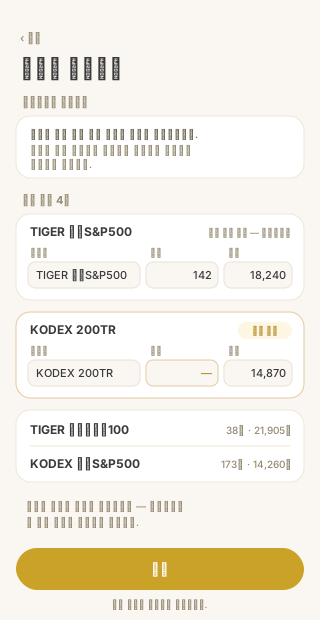
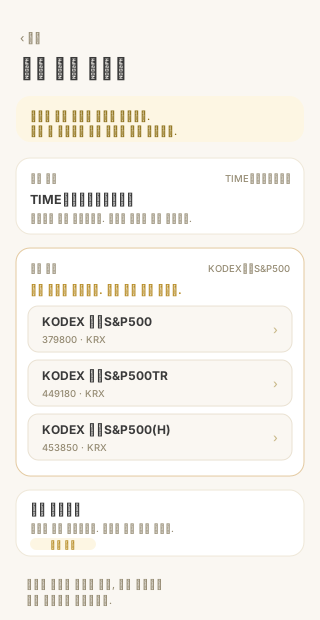
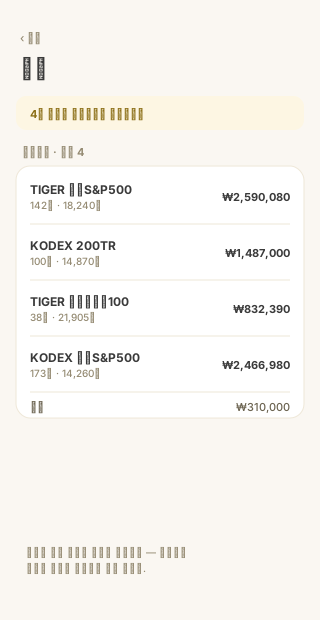
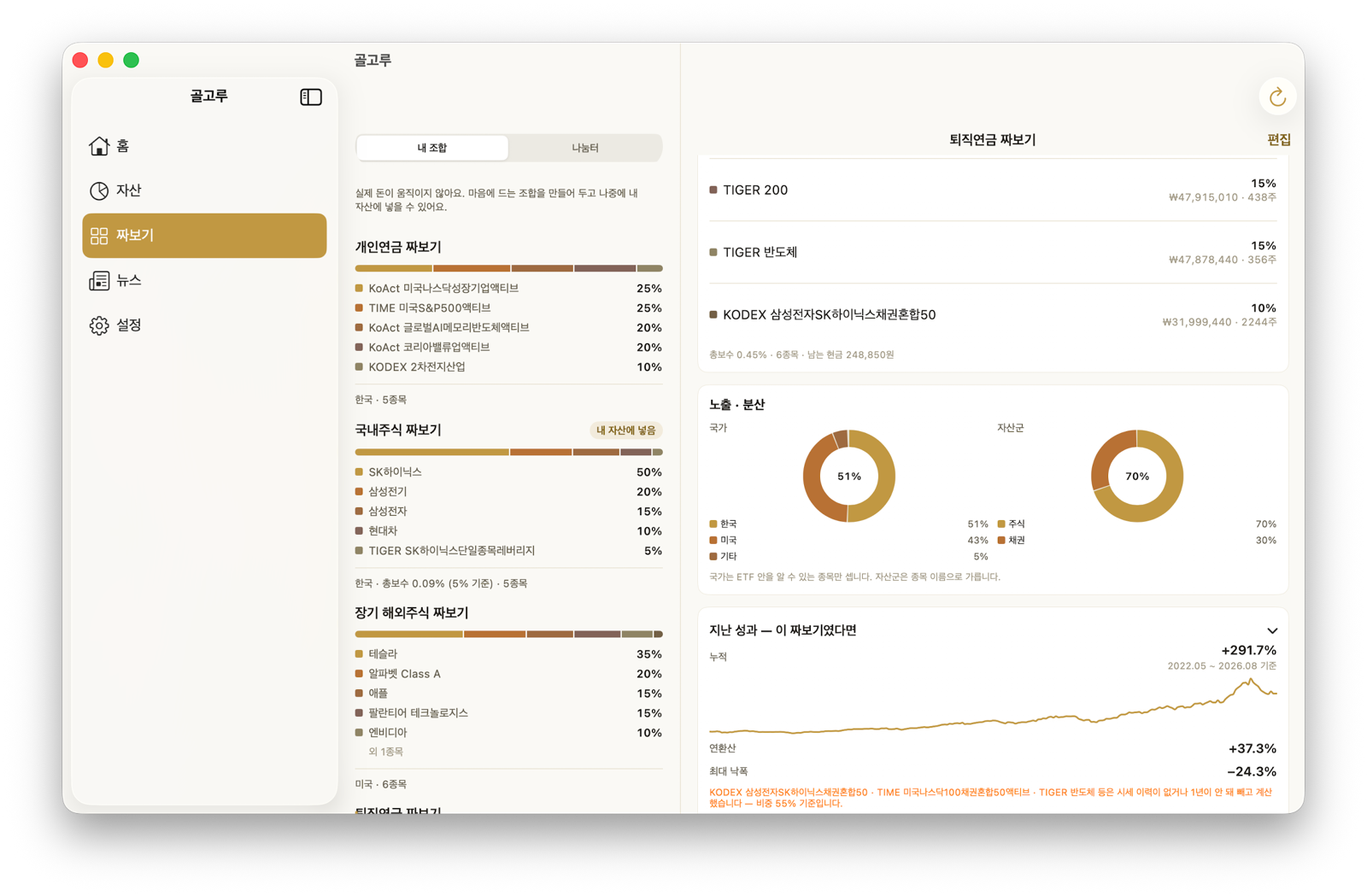
  • Try a mix before you buy it — find ETFs and individual stocks, put them side by side, enter an amount and see the share counts and what is left over
  • Like it? Add it to my assets and it becomes a real account — until then no money moves
  • Hand it over as a link, a code or a picture card. The amount never goes with it
  • Tap a holding and the chart opens — the same screen as in the Assets tab
  • One tab, one switch — my portfolios · community
  • Everything is worked out on device · for reference, not investment advice
Build page →
News — articles about your holdings

News

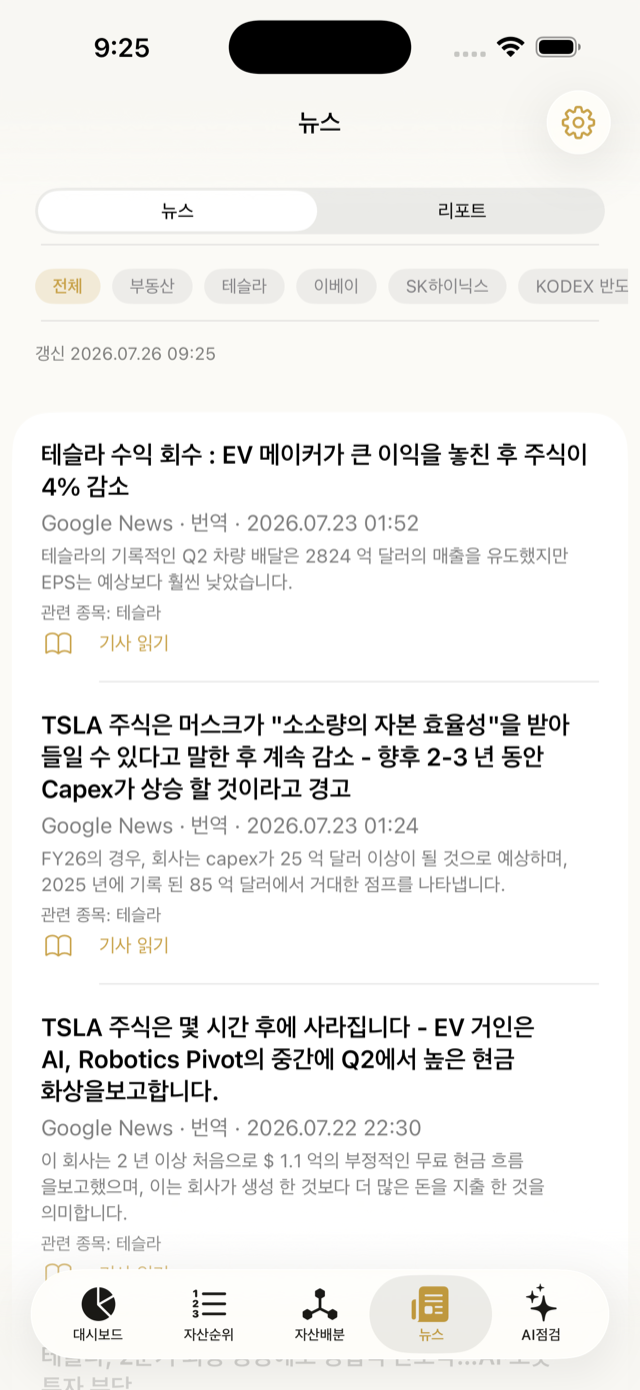
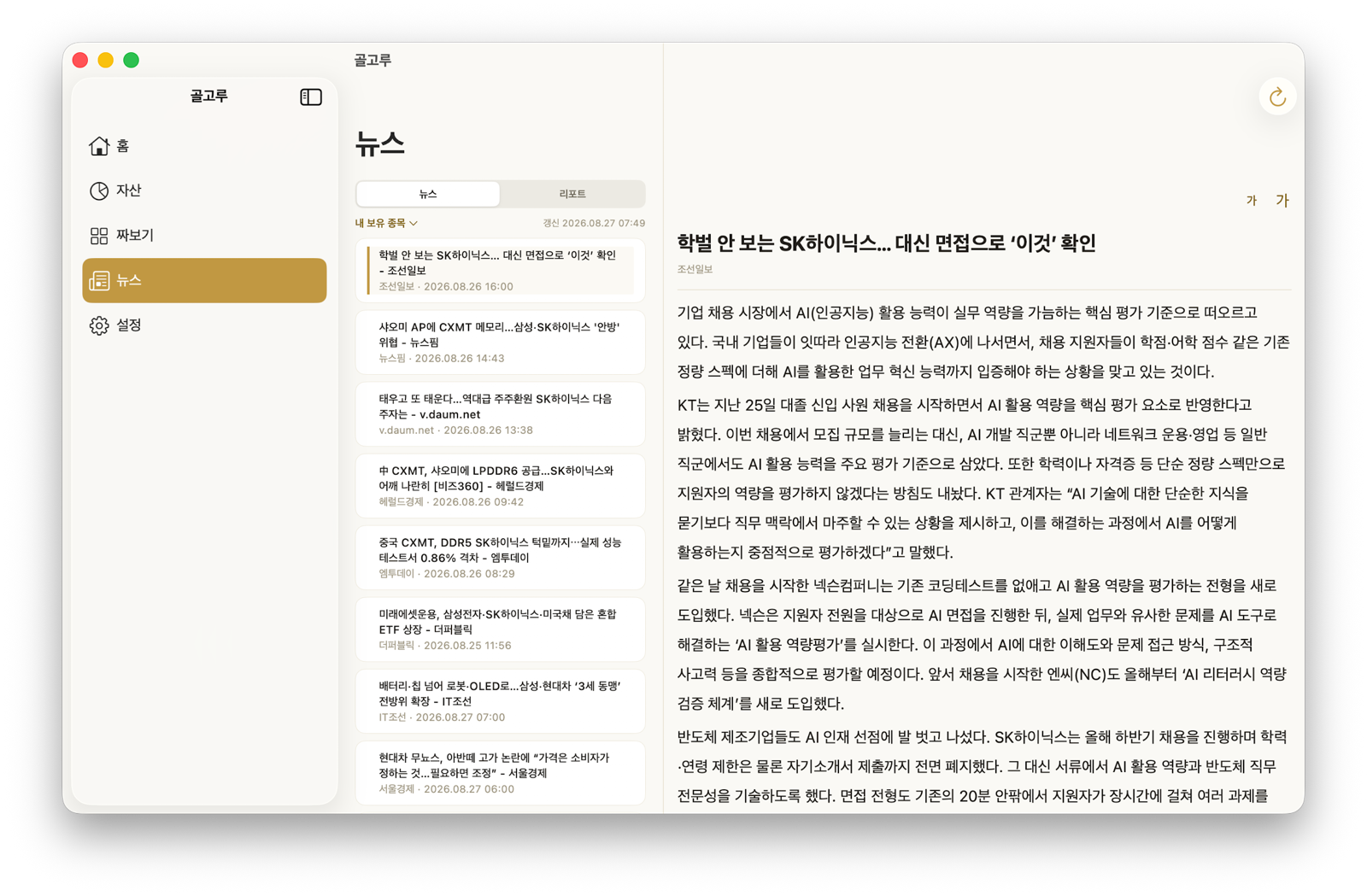
  • Only articles that touch what you hold — news · reports
  • What you read does not disappear, it fades. Closing marks it read
  • One “my holdings” dropdown instead of a row of chips
  • Broker reports open their original PDF inside the app
News page →

Fill an account from a screenshot

  • Paste a holdings screen from your brokerage app and it reads names, quantities and average costs
  • Names cut off by the screen width are matched by search; when several fit, you pick
  • Nothing is saved straight away — you check and fix what was read first
  • Existing holdings are overwritten; holdings absent from the screenshot are left alone
Getting started page →
Mac · iPad

The same app, opened out for a wide screen

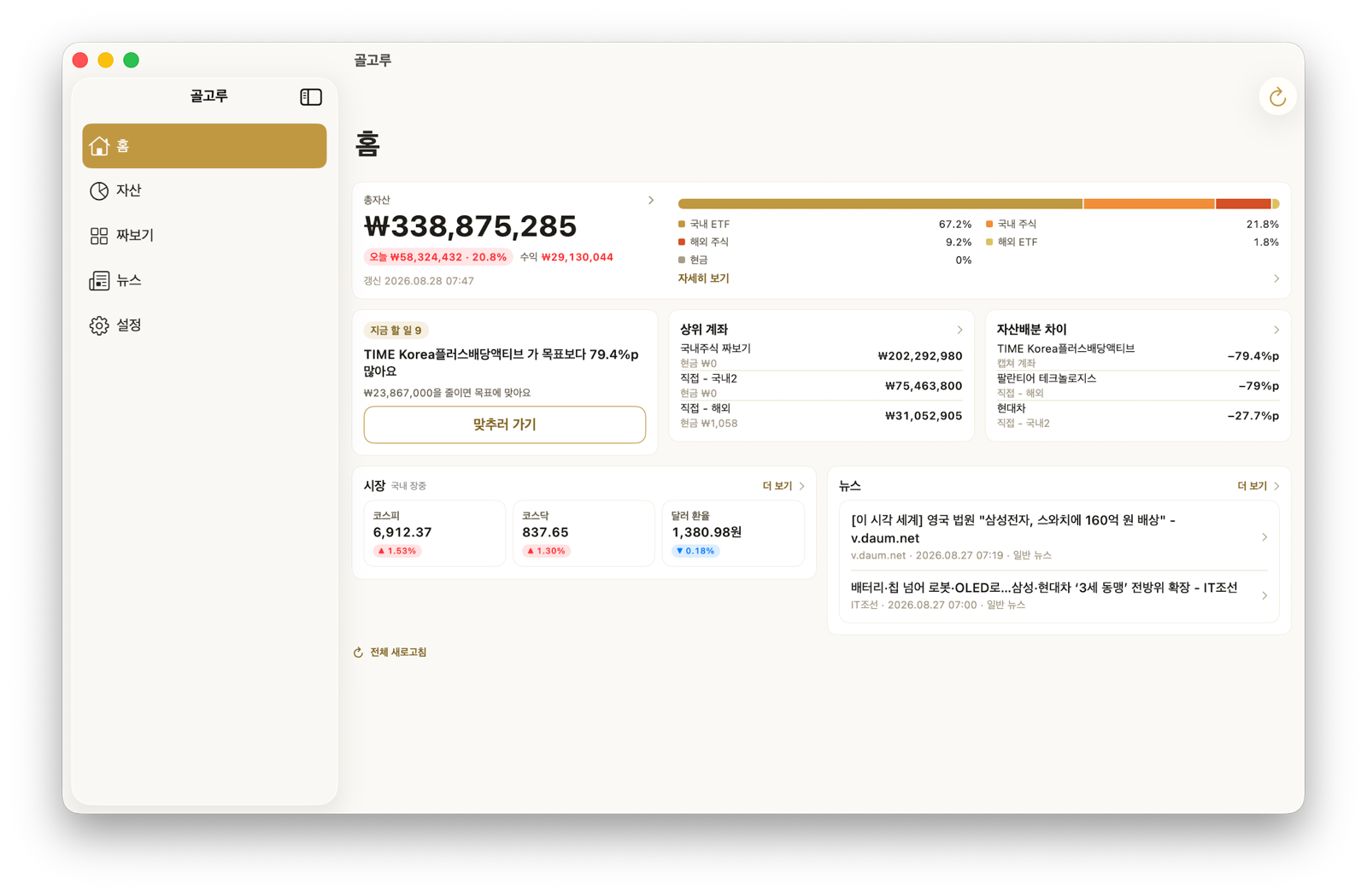
iPhone, iPad and Mac are one SwiftUI codebase. A narrow screen folds into a tab bar; a wide one opens into a sidebar and multiple panes. No screen loses a feature — the same data just gets more room. These are real screens with example numbers.

The sidebar is Home · Assets · Build · News · Settings. Home puts what to do now, your largest accounts, the gap to your targets, markets and news into cards under the total — the two lists dropped on the phone come back here. Assets fits the total, the switch, the account count and the sort on one row, and News splits into a list on the left and the article on the right. Holding detail puts the chart large on the left with the numbers beside it. iPad lays out the same way — and the appearance (system · light · dark) is set in Settings.

🖥 Sidebar navigation 📊 Home cards 🗂 Asset card grid 📐 Readable line width 🙈 Hide amounts 🧩 Same features as iPhone
Download

On iPhone · iPad · Mac · Android

Start with the sample, no sign-in. When you like it, type your assets in or paste a screenshot from your brokerage app and the holdings fill themselves.

Where it stands

Out on all three platforms

  • 2.4.0 — iPhone · iPad · Mac App Store
  • 2.4.0 — Android Google Play
  • 2.0 rebuild — Home · Assets · Build · News, four tabs
  • Build — ETF and single-stock simulation with past performance
  • Community — see what others put together · post your own
  • Portfolio report — health score · exposure · dividends · projection
  • Import holdings from a screenshot · sync between devices
  • Wide layout for Mac and iPad
  • 2.5.0 — dollar holdings, period returns, screenshot import (coming)